# Backstage
The NodeRings plugins for [Backstage](https://backstage.io) bring your Compute Instances into your developer portal. Each service, system or resource in the catalog shows the NodeRings servers that belong to it, and Software Templates can order a server, add a DNS record and register the result in the catalog.
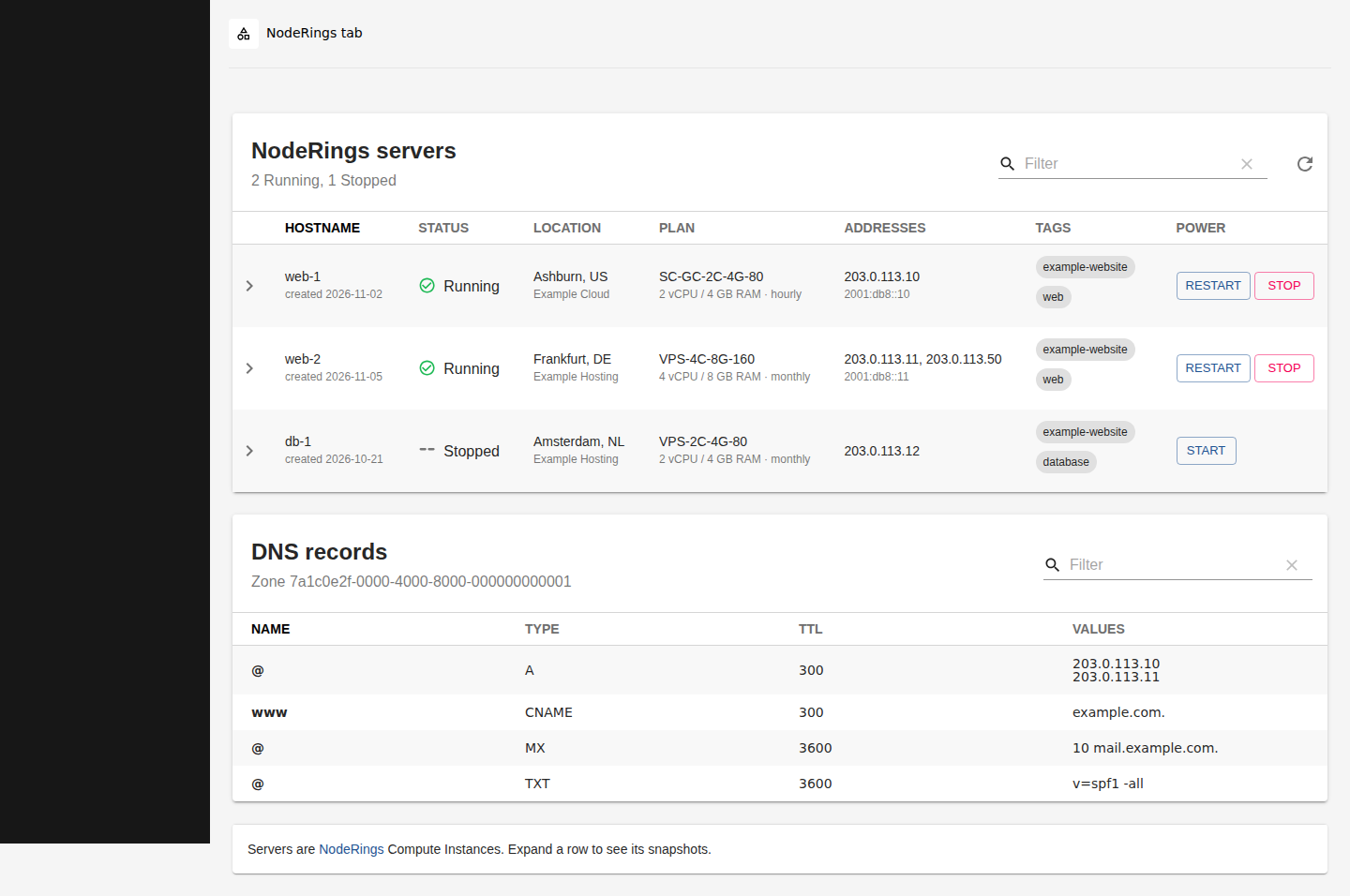 ## Packages
| Package | Purpose |
| ----------------------------------------------------------------- | --------------------------------------------------------------------------------------------- |
| `@noderings/backstage-plugin-noderings` | Frontend plugin: entity card and entity tab |
| `@noderings/backstage-plugin-noderings-backend` | Backend plugin: holds the token, checks permissions, caches. Required by the frontend plugin. |
| `@noderings/backstage-plugin-scaffolder-backend-module-noderings` | Scaffolder actions |
| `@noderings/backstage-plugin-noderings-common` | Annotation keys, permissions and types |
The plugins need Backstage 1.57 or later with the new frontend and backend systems. Source and issues: [github.com/noderings/backstage-plugins](https://github.com/noderings/backstage-plugins).
## Install
```bash
yarn --cwd packages/app add @noderings/backstage-plugin-noderings
yarn --cwd packages/backend add @noderings/backstage-plugin-noderings-backend @noderings/backstage-plugin-scaffolder-backend-module-noderings
```
```ts
// packages/backend/src/index.ts
backend.add(import('@noderings/backstage-plugin-noderings-backend'));
backend.add(
import('@noderings/backstage-plugin-scaffolder-backend-module-noderings'),
);
```
With feature discovery (`app.packages: all`) the frontend plugin needs no code change.
## Configure
Create a service account in your organization and give its token to the Backstage backend as an environment variable.
```yaml
# app-config.yaml
noderings:
token: ${NODERINGS_TOKEN}
cacheTtlSeconds: 60
allowPowerActions: false
scaffolder:
allowCreate: true
allowDelete: false
allowedPlanIds: []
allowedRegionIds: []
maxVmsPerTask: 1
```
Do not expose the NodeRings API through the Backstage proxy. Every signed-in
user could then call every operation with the service account's token. The
backend plugin only offers the operations listed here, and only for servers
that belong to the entity.
## Annotate entities
| Annotation | Meaning |
| --------------------------------- | ------------------------------------------------- |
| `noderings.com/vm-tag: ` | Every server with this tag belongs to the entity. |
| `noderings.com/vm-ids: ,` | Explicit server ids. |
| `noderings.com/dns-zone-id: ` | Show the records of this DNS zone on the tab. |
```yaml
metadata:
annotations:
noderings.com/vm-tag: shop-web
```
Add the tag to existing servers through the API (`PATCH /v1/virtual-machines/{id}` edits tags), or let the template do it: `noderings:vm:create` tags new servers `backstage---`.
## Software Templates
| Action | What it does |
| ----------------------------- | -------------------------------------------------------------------------------------------------------------------------------------------------------------------------------------------------------------------- |
| `noderings:vm:create` | Orders a server. This is billed from the moment it is created; hourly plans need prepaid credit. A retried task never orders a second server. |
| `noderings:vm:delete` | Deletes a server that Backstage created, after the hostname is confirmed. Off by default. Snapshots and backups go with the server; deleting the last server on a subscription cancels it with a final usage charge. |
| `noderings:dns:record:upsert` | Writes an `A`, `AAAA`, `CNAME`, `MX` or `TXT` record set; replaces an existing one only with `allowOverwrite: true`. |
The repository has an [example template](https://github.com/noderings/backstage-plugins/blob/main/examples/templates/noderings-vm/template.yaml) that orders a server and writes a `catalog-info.yaml` for it.
## Permissions
| Permission | Guards |
| -------------------------------- | -------------------------------------- |
| `noderings.virtualMachine.read` | Server list, server details, snapshots |
| `noderings.virtualMachine.power` | Start, stop, restart |
| `noderings.dns.read` | DNS records |
## Limits
The plugins poll the API with a 60-second cache, because NodeRings has no outbound webhooks. Snapshots are shown read-only. Block volumes, load balancers, resizing a running server and custom images are not available in the NodeRings API, so the plugins do not offer them.